
Every week we pick out the AI changes that matter to UK businesses: the AI assistants that can now connect to the software you already use, and the changes at ChatGPT, Claude, Gemini and Copilot. Each item says what changed, what it means for you and how to use it, with a link to the source. Missed last week? Read Week 5: Asana, Canva and monday.com inside Claude, and Gemini in work Gmail.
New to connectors? Most of these use MCP, the standard way an AI assistant plugs into business software. Our guide what MCP is and why it matters explains it in plain English.
New AI connections
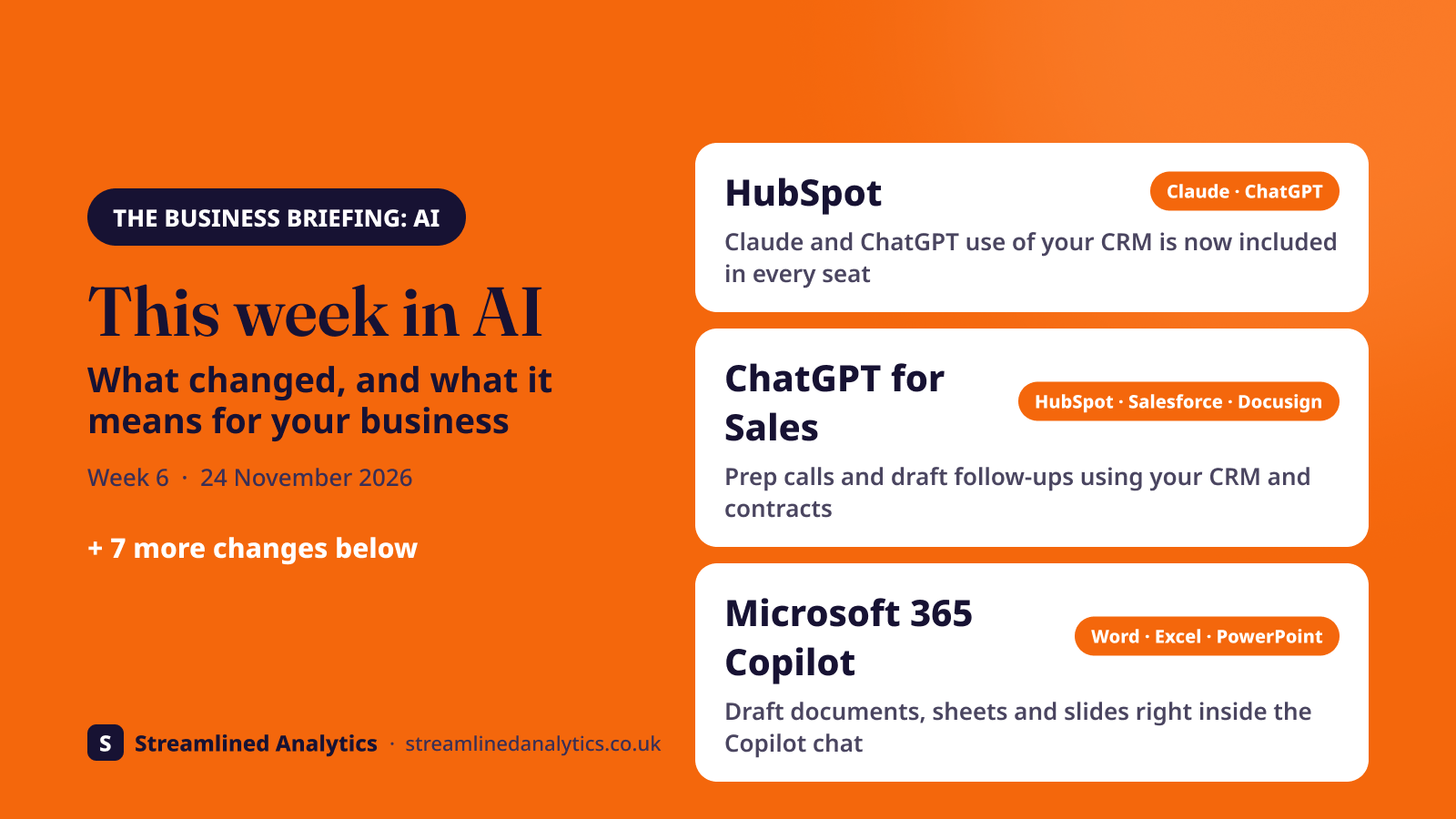
HubSpot with Claude and ChatGPT: everyday AI use is now included in every seat#
HubSpot says every seat now comes with enough access to do your everyday CRM work from Claude or ChatGPT, at no extra charge. You don't need an add-on or a different type of seat. Heavy users can top up with HubSpot Credits. AI agents doing bulk work at scale inside HubSpot, such as enriching thousands of records, will be paid for in credits.
What it means for your business: you can ask Claude or ChatGPT "which deals haven't moved in two weeks?" or "log this call against the Smith account" without worrying about a surprise HubSpot bill. It's the bulk, automated jobs that cost extra.
How to use it:
- In Claude, go to Customize > Connectors and add HubSpot. In ChatGPT, add the HubSpot app from the plugin directory.
- Sign in to HubSpot. The AI assistant can only see what your own HubSpot login can see.
- Start with read-only questions, such as a summary of this week's pipeline, before letting it update records.
Check before you start: HubSpot hasn't published credit rates for bulk agent work yet, so check before you automate anything at volume. Your contacts are personal data: use a business plan of Claude or ChatGPT, and cover AI tools in your AI policy.
Source: HubSpot: "HubSpot is headless. Here's how we'll price it", 18 Nov 2026
New AI connections
ChatGPT for Sales: HubSpot, Salesforce, monday CRM and Docusign plugins for ChatGPT#
OpenAI launched ChatGPT for Sales on 17 November: a Sales plugin from OpenAI plus more than 30 new and updated partner plugins. The ones most useful to smaller firms are HubSpot, Salesforce, monday CRM, Close, Attio, Docusign, PandaDoc, Canva, Gamma, Otter.ai and Granola.
What it means for your business: a salesperson can ask ChatGPT to prepare for a call using the CRM record, the last proposal and the meeting notes, then draft the follow-up email, all in one chat.
How to use it:
- This is for ChatGPT Business or Enterprise. An admin opens Admin Console > Plugins.
- Make the Sales plugin available, plus the partner plugins for the tools you use (for example HubSpot and Docusign).
- Each person signs in to each tool the first time they use it.
- Try: "prepare me for my 2pm with Acme: open deals, last proposal and anything outstanding".
Check before you start: OpenAI says which partner plugins you get varies by plan, region and workspace settings, so check each one appears in your workspace before you plan around it. Comparing assistants? See Copilot vs ChatGPT for a small business.
Source: OpenAI: Introducing ChatGPT for Sales, 17 Nov 2026
At the big AI providers
Microsoft 365 Copilot: Word, Excel and PowerPoint inside the Copilot app are now generally available#
At Ignite on 17 November, Microsoft moved "Office in Copilot" out of early-access preview and made it generally available, with a new Home screen in the Microsoft 365 Copilot app. Ask for a document, spreadsheet or deck in the chat and it opens next to the conversation, ready to edit. Files save to OneDrive with your existing permissions.
What it means for your business: staff can go from "turn these site notes into a client report" to an editable Word document without copying and pasting between apps.
How to use it:
- Open the Microsoft 365 Copilot app (or copilot.cloud.microsoft) with a work account.
- Ask for what you need, for example "draft a one-page method statement from these notes".
- Edit the document beside the chat, or open it in full Word, Excel or PowerPoint.
Check before you start: this needs a paid Microsoft 365 Copilot licence. People using the free Copilot Chat don't get it. Workspaces and the Autopilot agent, also shown at Ignite, are still preview-only.
Source: Microsoft Copilot blog: Copilot at Ignite, 17 Nov 2026 · Microsoft Tech Community: Office at Ignite 2026
New AI connections
ChatGPT for Accounting: QuickBooks, Xero and NetSuite plugins (Xero is US-only for now)#
OpenAI released an Accounting plugin for ChatGPT on 18 November. It helps with invoice and receipt entries, bank reconciliations, month-end reports and audit evidence, and produces drafts for you to review. Partner plugins: QuickBooks Online, Xero, FreshBooks, BILL, Oracle NetSuite, Campfire and Rillet. Xero says its part is currently available in the US only. Xero's plugin reads your data; QuickBooks can create draft invoices.
What it means for your business: for UK firms on QuickBooks, ChatGPT can now help draft entries for you to approve. Xero users in the UK can already connect Xero to Claude (see Week 1) while they wait.
How to use it:
- Install the ChatGPT desktop app (Mac or Windows). The plugin uses ChatGPT's computer-use setup.
- Open the plugin directory, search Accounting and install it. Business members can install it themselves; Enterprise needs an admin to approve it.
- Connect your accounting app and sign in, or upload an Excel template and your files.
- Tell it which company, which period and which rules to follow, then check every draft before you approve it.
Check before you start: OpenAI's own advice: check each entry against the original invoice, and check the accounting app first if you're not sure an entry already exists, so you don't create duplicates. Accountants should read our AI for accountants guide.
Source: OpenAI Help Center: using ChatGPT for accounting work · Xero blog: Xero in ChatGPT for Accounting, 19 Nov 2026
New AI connections
Claude for Manufacturing: draft quotes and quality reports from NetSuite and Microsoft 365#
Anthropic released Claude for Manufacturing on 12 November, a plugin with 17 skills. It drafts quotes, quality and corrective-action reports, supplier requests and production reports from your own records. It connects to Oracle NetSuite (orders, stock and job costs), Microsoft 365 (procedures and emails), Autodesk Fusion and Infor (look-up only). Systems without a connector can feed it regular exports saved to Microsoft 365.
What it means for your business: a manufacturer or fabricator could have Claude draft a quote from the job costs in NetSuite, ready for a person to check and send. Nothing goes to a customer or supplier without sign-off.
How to use it:
- This is for Claude Team or Enterprise. Install the Claude for Manufacturing plugin from the plugin marketplace.
- Say "Set us up". Claude asks which systems you use, tests each connector and tells you which skills can't fully run yet.
- Start with one job type, such as repeat quotes, and compare Claude's draft with your usual price.
Check before you start: it doesn't operate any equipment, and quotes are only as good as the cost data behind them.
Source: Claude: Claude for Manufacturing
At the big AI providers
Microsoft 365 outage: a day without email, and the AI connectors that broke with it#
From 16:20 on Thursday 12 November to 16:10 on Friday 13 November (UK time), most Microsoft 365 users couldn't reach their mailboxes, with knock-on problems in Teams, SharePoint, OneDrive and Copilot (Microsoft incident EX1550543). Microsoft blamed a faulty fix to its network gateway servers. The Microsoft 365 connector in Claude was down for the same period.
What it means for your business: when one supplier fails, every AI tool connected to it fails too. It's worth knowing how you'd keep in touch with customers for a day without Outlook.
How to use it:
- Keep a fallback: a shared mobile number or a second email address customers already know.
- Check Microsoft 365 admin center > Health > Service health before assuming the problem is yours.
- Warn staff: fake "restore your messages" emails quoting the incident number have been circulating since 13 November. Don't click them.
Source: Claude status: elevated errors affecting the Microsoft 365 connector
At the big AI providers
ChatGPT dictation: live transcription and no 10-minute limit#
ChatGPT's dictation now shows your words as you speak, and the 10-minute recording limit has gone. It's rolling out on every plan, including Free, on iPhone, Android, web and desktop.
What it means for your business: you can talk through a site visit, a quote or a long brief in one go and tidy it up afterwards.
How to use it:
- Tap the microphone in the ChatGPT message box and start talking.
- Tap or click the waveform to show or hide the text as it appears.
Source: OpenAI: ChatGPT release notes, 18 Nov 2026
At the big AI providers
GPT-6.2 Astra and Sol: new ChatGPT models for documents and spreadsheets#
OpenAI released GPT-6.2 Astra (for hard projects) and Sol (for everyday work), aimed at better slides, spreadsheets and documents using less of your allowance. They're available to Plus and Pro users, and to Enterprise once an admin switches them on. Early reviews have been rough: testers say the models sometimes stop without saying why, and OpenAI's own notes say they're more likely to leave out what blocked them.
What it means for your business: if you pay for Plus, you get the upgrade at no extra cost. Check finished work properly, especially spreadsheets, before relying on it.
Check before you start: comparing assistants? See Claude vs ChatGPT for business.
Source: OpenAI: Introducing GPT-6.2 Astra and Sol
At the big AI providers
Gemini 4 Neon: a faster, cheaper top model from Google#
Google released Gemini 4 Neon on 18 November. Google says it matches its top Carbon model's quality at much faster speeds and a lower price. In the Gemini app it's for Google AI Pro and Ultra subscribers.
What it means for your business: if you pay for Google AI Pro, pick Neon from the model menu for longer jobs. Google hasn't said when it reaches Gemini in Workspace business accounts.
Source: Google: Introducing Gemini 4 Neon, 18 Nov 2026
At the big AI providers
Business Central + Copilot: a cheaper bundle from January 2027#
Microsoft will sell Dynamics 365 Business Central bundled with Microsoft 365 Copilot Business through its resellers from 1 January 2027, for up to 300 seats. List prices are $95 a user a month with Business Central Essentials and $125 with Premium, $6 less than buying both separately. UK prices haven't been published yet.
What it means for your business: if you run Business Central and were weighing up Copilot, ask your Microsoft partner about the bundle before you renew.
Check before you start: it's sold through Cloud Solution Provider resellers, not direct from Microsoft.
Source: Microsoft Partner Center announcements, November 2026
What to do next#
Not sure which of these your own software can do? Send us your software list and we'll send you a free report on which of your tools connect to which AI assistants, and what each connection can and can't do.
Keep reading
The Business Briefing: AI — this week in AI (17 November 2026)
Asana, Canva and monday.com open inside Claude, Gemini switches on in work Gmail, Google Workspace skills and more: what changed and how to use it.
17 November 2026 ReadSchedule of works: what it is, what goes in one, and a UK example
What a schedule of works is in UK construction, what goes in one, a priced example, how it differs from a programme, specification and bill of quantities, and how to price it.
13 November 2026 ReadThe Business Briefing: AI — this week in AI (10 November 2026)
Xero and QuickBooks plugins for Microsoft Copilot, Basecamp in Claude and ChatGPT, tighter limits on the free Copilot Chat, and more: what changed and how to use it.
10 November 2026 Read