
Every week we pick out the AI changes that matter to UK businesses: the AI assistants that can now connect to the software you already use, and the changes at ChatGPT, Claude, Gemini and Copilot. Each item says what changed, what it means for you and how to use it, with a link to the source. Missed last week? Read Week 1: Xero, BambooHR and Gemini 4.
New to connectors? Most of these use MCP, the standard way an AI assistant plugs into business software. Our guide what MCP is and why it matters explains it in plain English.
New AI connections
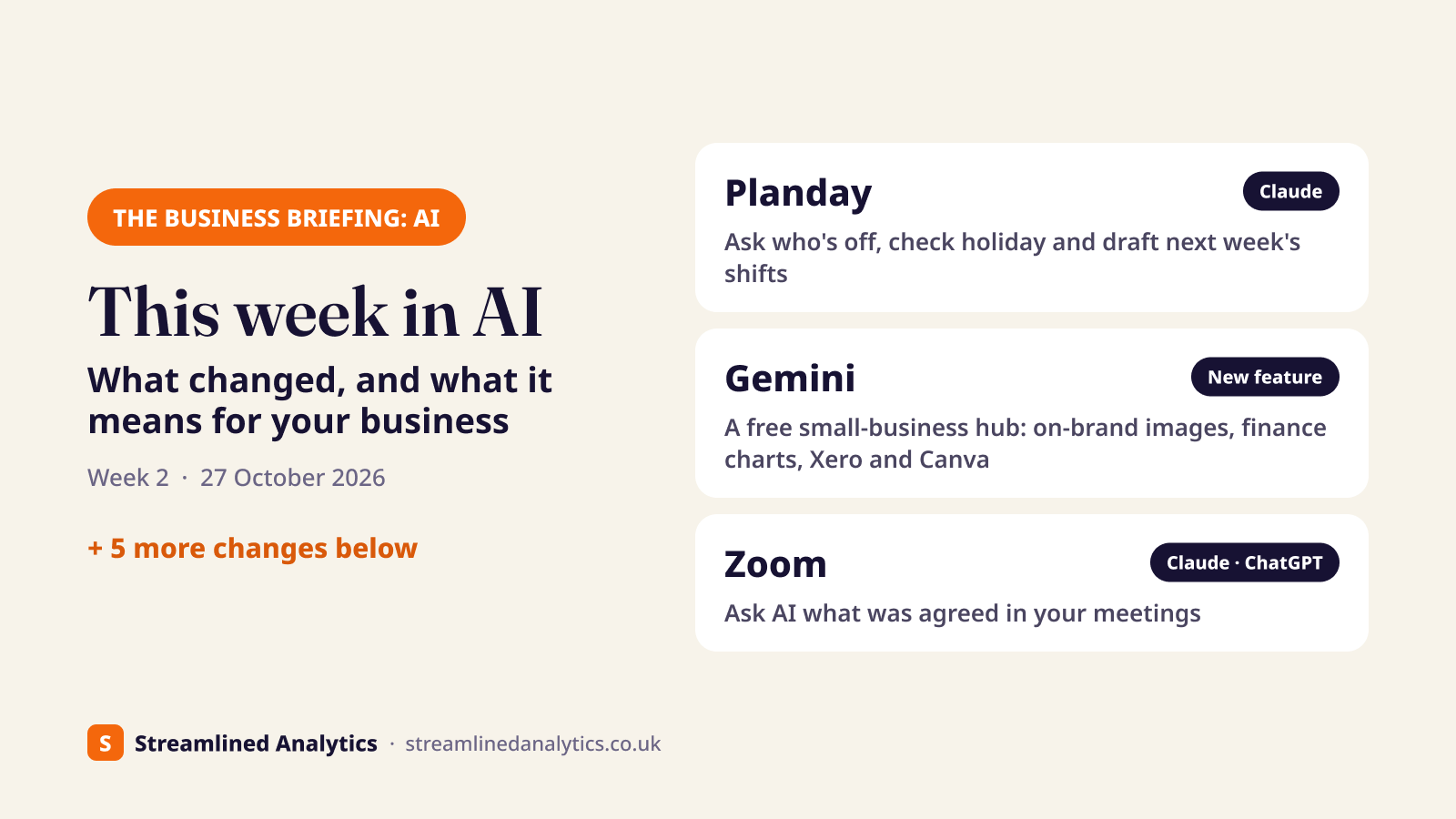
Planday connector for Claude: ask about your rota and draft next week's shifts#
Planday, the rota and workforce software owned by Xero and widely used in UK hospitality and retail, now has a connector in Claude's connectors directory.
What it means for your business: managers can ask Claude “who's off next week?”, “how much holiday has Sam got left?” or “are we within working-time rules on Saturday's rota?” and get answers from live Planday data. Claude can also create and assign shifts, but new shifts are saved as drafts: Planday says Claude “won't delete anything” and “won't publish behind your back”. It only sees what your own Planday login can see, and it works on every Planday plan.
How to use it:
- In Claude, go to Settings > Connectors (or claude.ai/customize).
- Search for Planday and click Connect.
- Enter your Planday address (for example yourcompany.planday.com), log in, accept the notice and click Authorize.
- Set a permission level for each tool. Let the read-only tools run freely, and set the ones that change the rota to ask first.
Source: Planday help centre: connect Planday to Claude
New AI connections
Gemini for small business: a free business hub with Xero, Canva and Shopify#
Google announced new Gemini tools for small business owners on 20 October. They're rolling out “in the coming days globally for all Gemini app users”, so UK businesses on the free Gemini app get them too.
What it means for your business:
- A business landing page in the Gemini app that brings brand, finances and customer insights together.
- On-brand images: give Gemini your website, brand kit, fonts or colours and it keeps that style for future marketing images, using Google's Nano Banana 2.1 image model.
- Finance charts: turn spreadsheets, receipts and purchase records into charts and simple interactive models.
- Connected apps: Google Business Profile, Google Ads and Google Workspace, plus Adobe, Canva, Dropbox, Shopify, Wix, Zoho and Xero.
How to use it:
- Open the Gemini app or gemini.google.com and look for the new business page as the rollout reaches your account.
- Upload your website address or brand kit so Gemini can learn your style.
- Connect the apps you use, such as Xero (see last week's Xero steps), then ask for a cash-flow chart or a campaign image.
Check any finance chart against your own figures before you rely on it. Larger businesses that need admin controls are pointed to Google's separate “Gemini for your business” plans.
Source: Google blog, 20 Oct 2026
New AI connections
Zoom opens your meetings to Claude, ChatGPT and Codex#
At its Zoomtopia conference on 20 October, Zoom launched a “Unified Context Layer”: one pool of what's said in your meetings, calls and chats, combined with your company files and apps. Other AI assistants can reach it through MCP connectors and APIs, and Zoom names Claude, ChatGPT and Codex.
What it means for your business: ask your AI assistant what was agreed on last week's client call, pull every action from this month's site meetings into one list, or draft a follow-up from the meeting itself. From November, Zoom says you'll also be able to start Zoom tasks from Claude and Codex, such as scheduling a meeting, sending a chat or updating your CRM.
How to use it:
- Check your Zoom admin settings for AI and connector access before you connect anything. Meeting content is sensitive, so decide who can connect.
- In Claude or ChatGPT, look for Zoom in the connectors or apps directory and sign in with your Zoom account.
- Start small: summarise one recurring meeting and check the result against your own notes.
Zoom hasn't said which Zoom plans include it. Agentic search across Zoom and 40+ other apps is “available now”; some features are expected in November and December.
Source: Zoom, 20 Oct 2026
New AI connections
Financial Cents MCP: practice management for accounting firms in Claude, ChatGPT and Gemini#
Financial Cents, practice management software for accounting, tax and bookkeeping firms, launched an MCP server on 20 October. It connects a firm's Financial Cents account to Claude, ChatGPT and Gemini.
What it means for your business: ask “what work is overdue this week?” or log time on a client job from a chat. It can update records within each person's permissions, and it confirms with you before changing anything.
How to use it: Financial Cents hasn't published setup steps in the coverage we've seen, so ask Financial Cents support for the server address, then add it as a connector in your AI assistant. For more on where AI fits in a practice, see AI for accountants.
Source: CPA Practice Advisor, 20 Oct 2026
Big AI providers
Intuit Intelligence: QuickBooks' AI features rolling out in beta, including the UK#
Intuit is rolling out Intuit Intelligence internationally, including the UK, according to coverage on 14 October. It's in beta on QuickBooks Online and QuickBooks Online Advanced.
What it means for your business:
- Automations: describe a recurring task in plain English and QuickBooks sets it up.
- Autonomous Invoicing: QuickBooks creates and sends invoices from customer documents and chases them with reminders.
- Conversational Custom Reports: ask for a report in plain English instead of building it.
How to use it: look for the new AI features in QuickBooks Online as the beta reaches your account. Check the first automated invoices before letting them go out unattended.
Source: IT Brief UK, 14 Oct 2026
Big AI providers
Microsoft and Copilot: UK competition regulator proposes special status#
On 16 October the UK's Competition and Markets Authority (CMA) proposed giving Microsoft “strategic market status” in business software. That would let it set rules on how Microsoft bundles products including Microsoft 365, Teams and Copilot, and on whether customers can freely choose other AI tools. Microsoft disputes the findings.
What it means for your business: nothing changes yet. Comments close on 13 November and a final decision is expected in February 2027. If it goes ahead, it could change how Copilot is bundled and priced for UK businesses, so it's worth keeping in mind before a long Microsoft renewal.
How to use it: no action needed. If Copilot bundling has affected your business, you can respond to the CMA's consultation before 13 November. Choosing between assistants? See Copilot vs ChatGPT.
Source: Reuters, via WSAU, 16 Oct 2026
Big AI providers
OneDrive: eight Copilot right-click options are going#
From mid-November to early December, Microsoft is removing eight OneDrive Copilot actions from the right-click menu in Windows File Explorer: Summarize, Create FAQ, Compare files, Ask a question, Explain image, Explain images, Compare images and Extract text.
What it means for your business: the features aren't going away. You can still right-click a OneDrive file and choose Ask Copilot, use the Copilot icon in File Explorer Home, or use the OneDrive activity centre.
How to use it: no admin action is needed. If your staff guides or training mention the old menu options, update them.
Source: Microsoft 365 message center MC1515940, via TechRepublic
Big AI providers
Claude Duet: one to watch (not in the UK yet)#
Anthropic launched Claude Duet on 21 October: a separate app that works in the background across your business apps. Each morning it sends a brief of what needs your attention, it watches your apps through the day and messages you only when something comes up, and it can take on tasks such as scheduling meetings or building a sales forecast. It can use Claude's 6,000+ connectors, including Gmail, Slack, QuickBooks, Stripe, HubSpot, Canva and Shopify, and it shows you what it plans to do and waits for approval before sending messages, paying for anything or signing documents.
What it means for your business: this is the kind of assistant many business owners have been waiting for, and Anthropic is aiming it squarely at professionals and small businesses. But it isn't available in the UK yet. For now it's a waitlist for US subscribers on Claude's Pro and Max plans, and Anthropic hasn't said when it will reach other countries.
How to use it: you can't yet in the UK. Follow us on LinkedIn or Instagram and we'll tell you when Claude Duet reaches the UK, along with how to set it up safely.
Source: Anthropic: Introducing Claude Duet, 21 Oct 2026
What to do next#
Want to know which of your systems can connect to AI today? Send us the list of software you use for our free AI connections report. We'll tell you what connects now, what it can safely do, and when the rest is likely to follow. If you're just getting started, our free guide to connecting AI to your business covers the basics.